
Overview
From the Search Settings page, you can configure the embedding model, reranking, and a variety of advanced search and indexing options.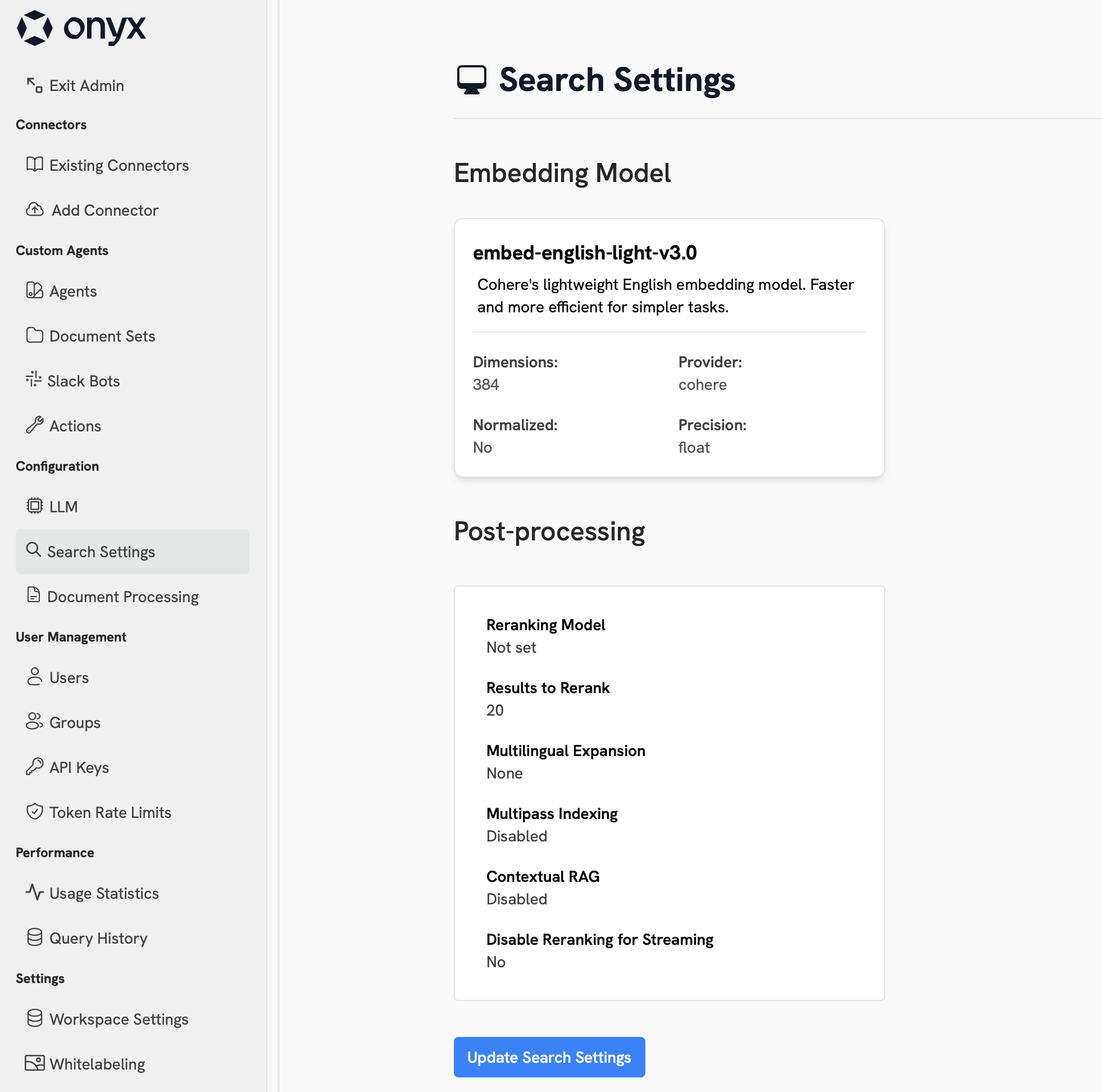
Embedding Model
The embedding model is used to convert your documents into vectors that are stored in OpenSearch. These vectors are used to search for relevant documents when a user queries Onyx. A powerful embedding model can significantly improve the accuracy of your search results, but comes at the cost of additional memory and disk usage.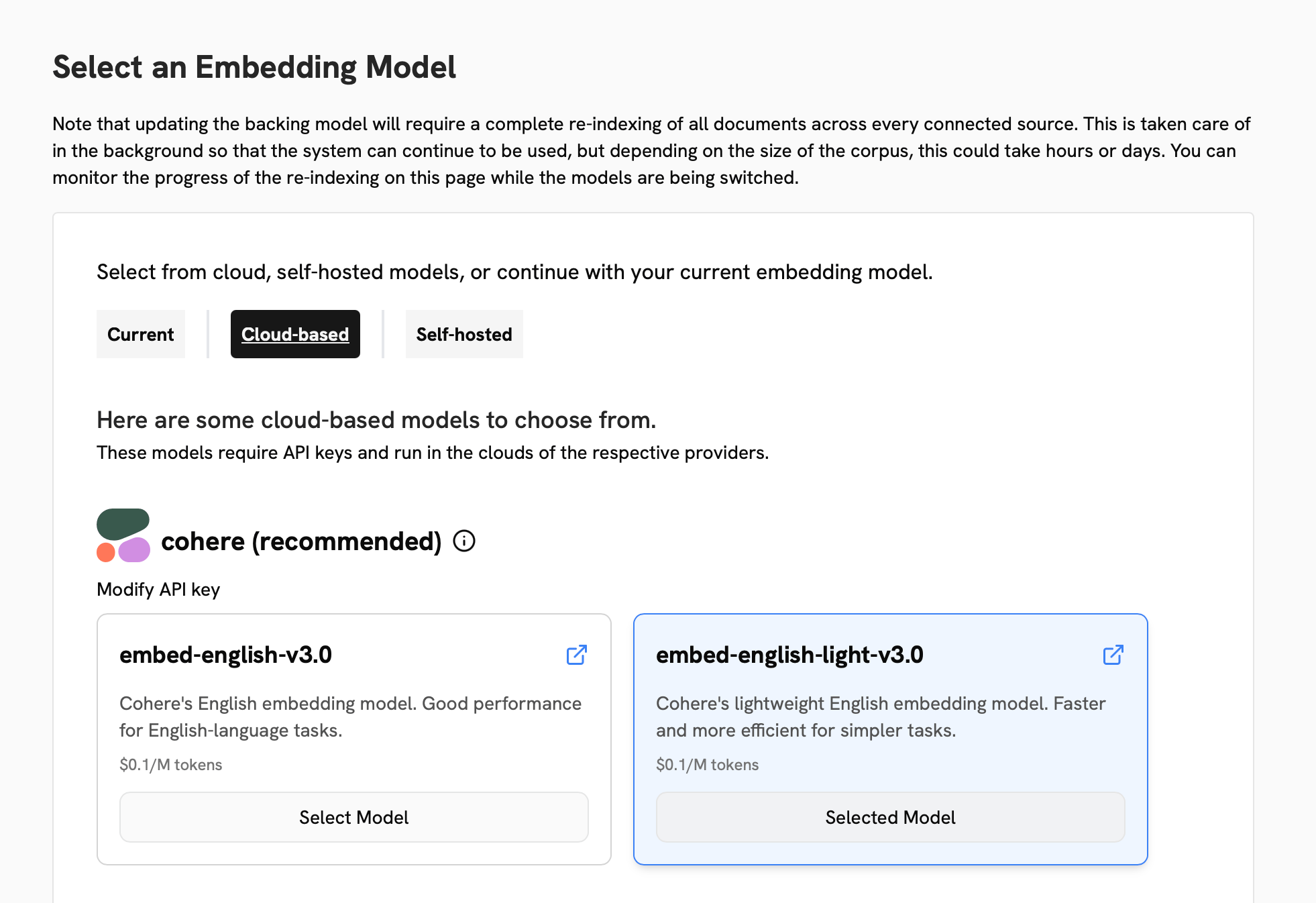
Cloud Models
Cloud Models
The best embedding models are generally available through a cloud provider such as Cohere or Google.To use a cloud provider, select the model you want to use, submit your credentials for the provider,
and click Continue.
Self-hosted Models
Self-hosted Models
Self-hosted models run on your own infrastructure and guarantee that your data does not leave your bounds.In the Self-hosted tab, you can select a suggested model or follow the instructions to connect your own model.
Embedding data at the scale that Onyx operates requires significant compute resources.
If you want to use a self-hosted model,
we strongly recommend you make a GPU available to Onyx’s indexing model server container.
Embedding Swaps
If you select a new embedding model, Onyx will need to re-index all of your data. During this process, the old embedding model will still be available for searches. While the swap is in progress, you will see the Search Settings page show details indexing progress.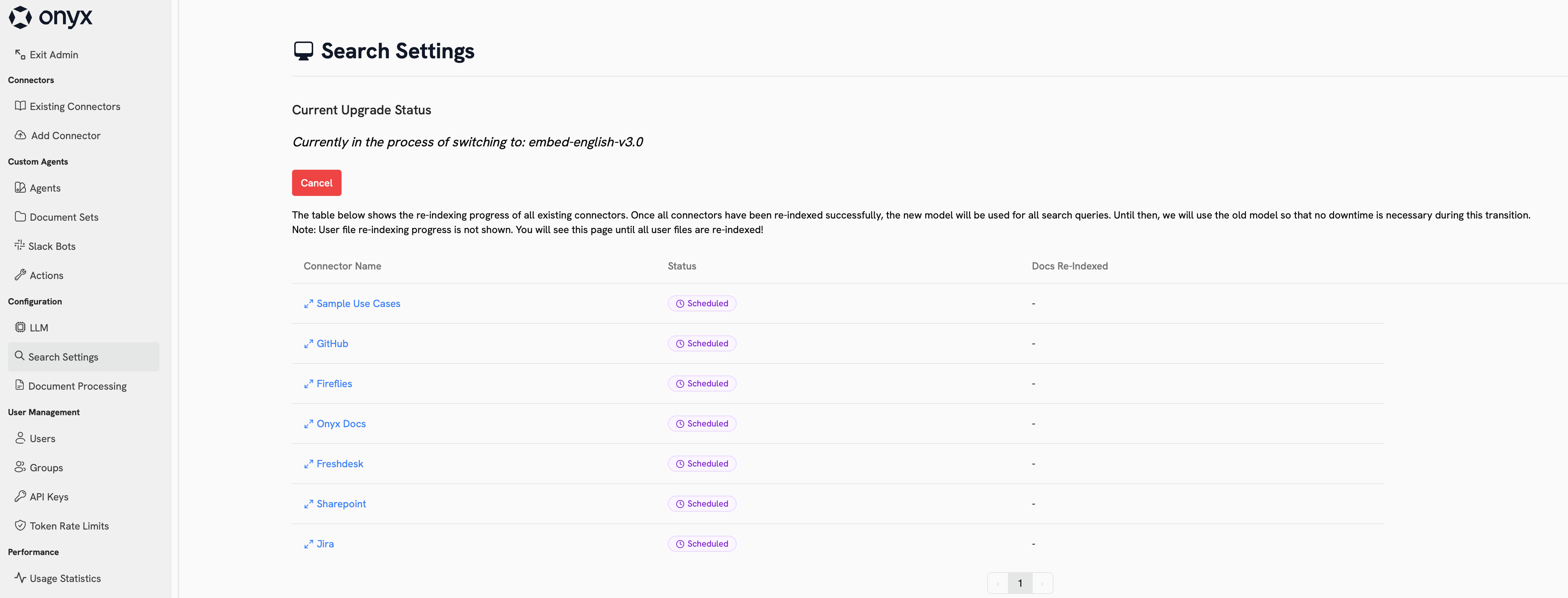
Vector Quantization
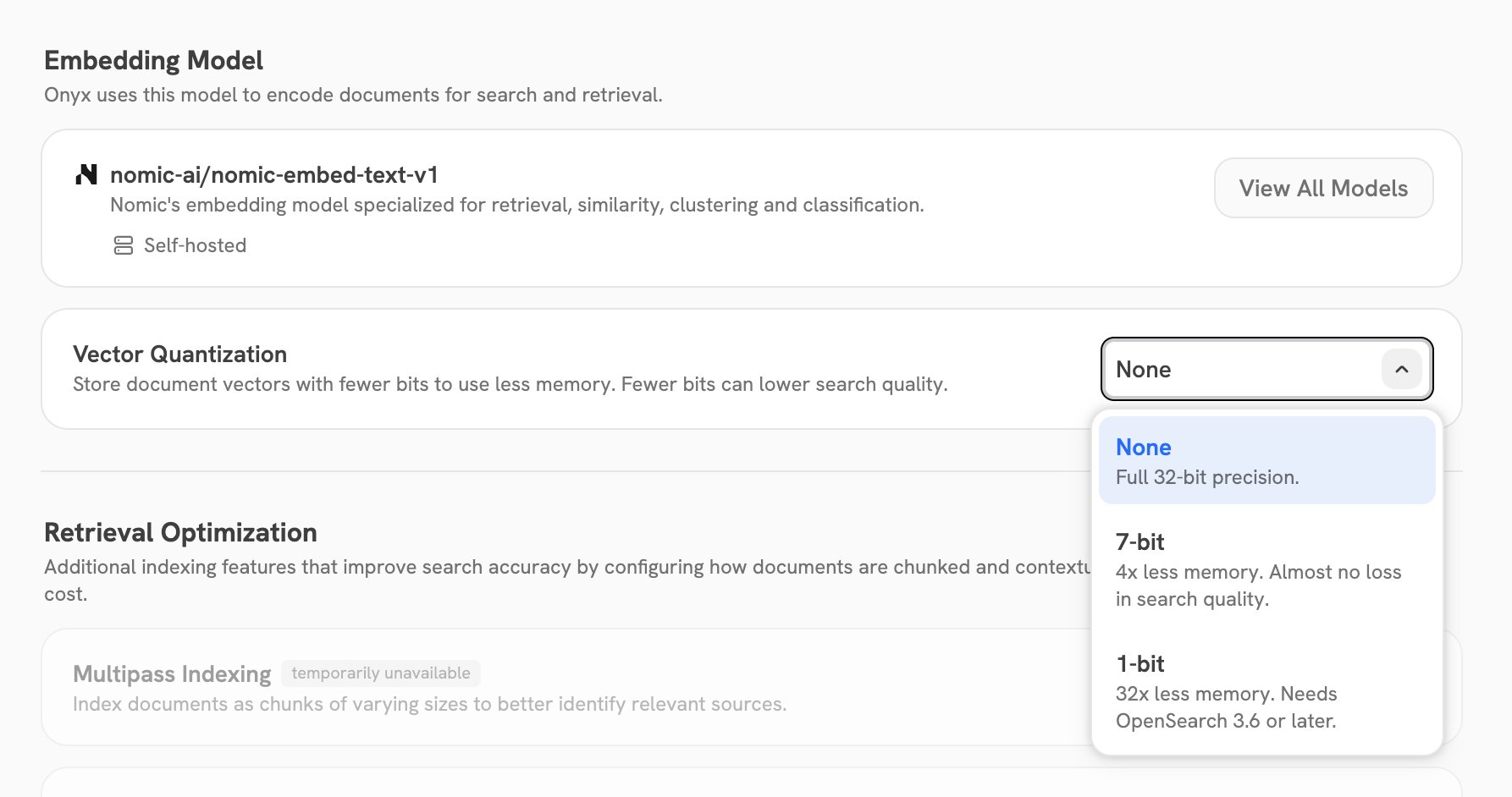
Vector quantization stores the document vectors in OpenSearch with fewer bits for each dimension. This decreases the memory that the vector index uses. Fewer bits can decrease the search quality. To set it, go to Index Settings and use the Vector Quantization field in the Embedding Model section.
When the index is quantized, Onyx rescores the top search results with the full-precision vectors.
OpenSearch keeps the full-precision vectors on disk for this, so the disk usage increases slightly.
The quantization is part of the index. When you change it, Onyx re-indexes all of your data into a new index,
the same as an embedding swap.
The OpenSearch that ships with Onyx (Docker Compose and Helm) is version 3.6.0.
If you connect Onyx to an external OpenSearch cluster that is older than 3.6, Onyx does not accept the 1-bit option.
This setting is not available on Onyx Cloud.
Reranking
Reranking is an optional step that can be used to improve the accuracy of your search results. A reranking model will assess and re-organize your search results based on the relevance of the documents to the query. This process adds a small amount of latency to your search results. Generally, re-ranking is only useful if you have a very large number of documents.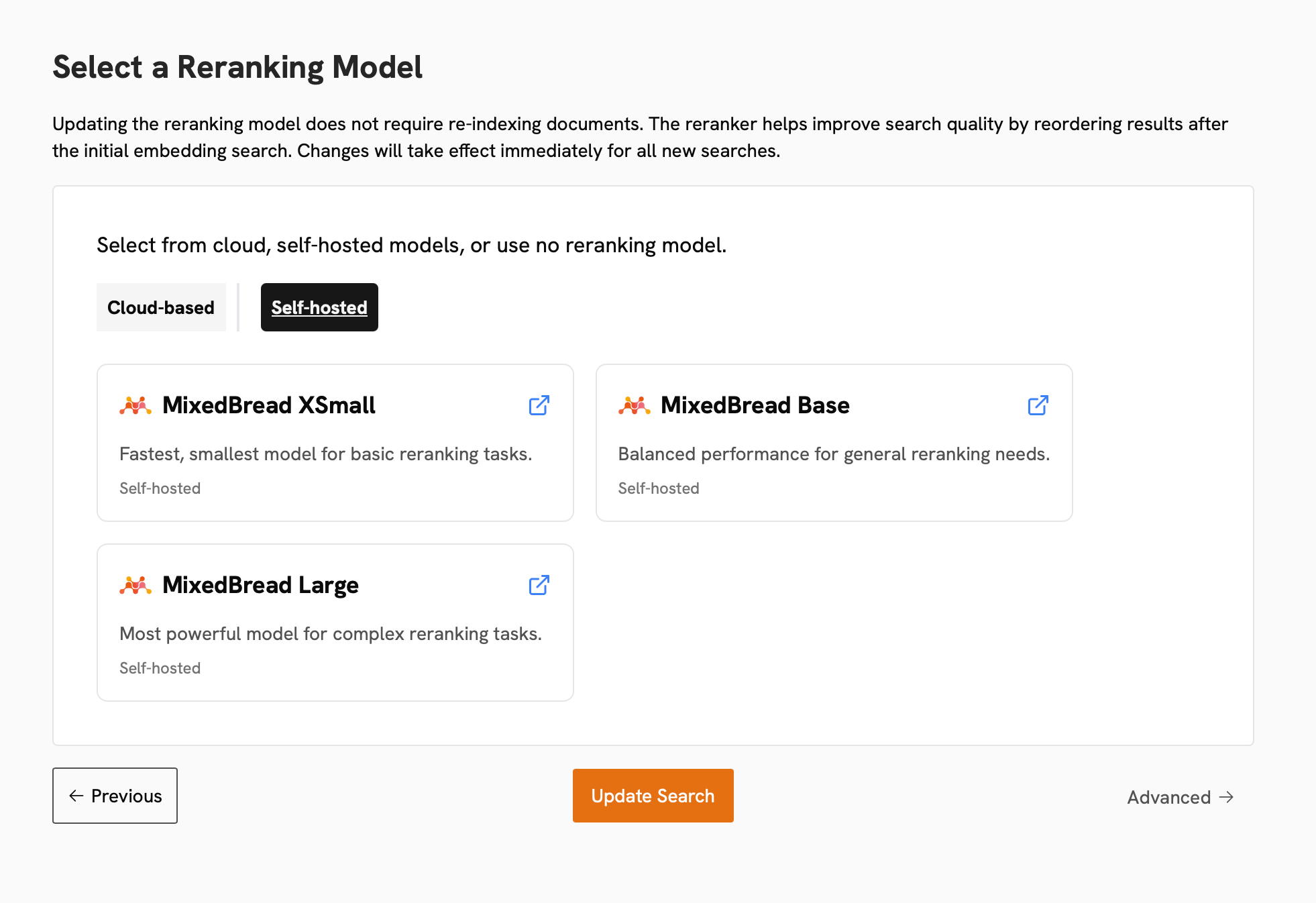
Advanced Configs
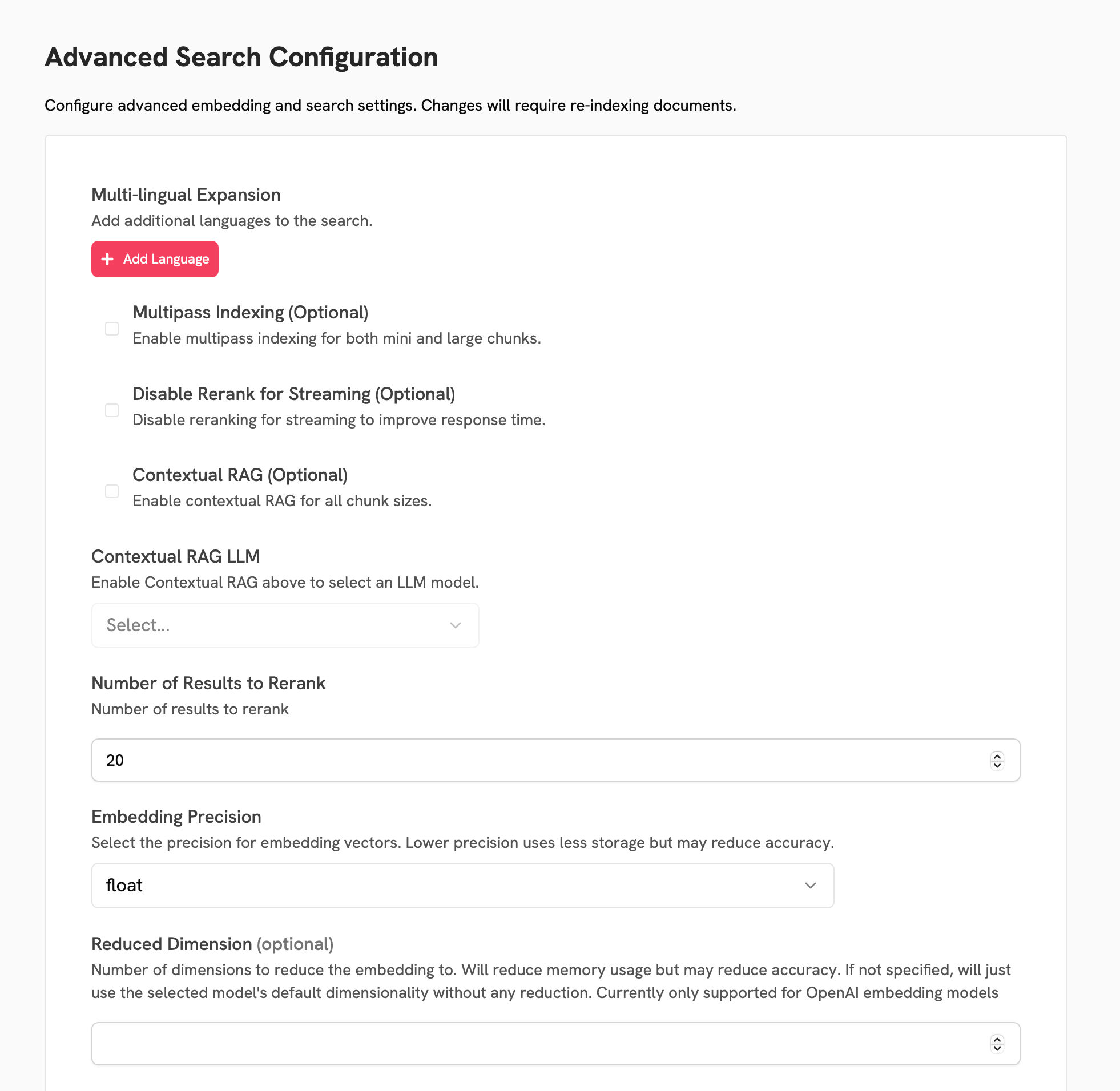
On the final page, you can configure a variety of advanced search settings.Multilingual Expansion
Multilingual Expansion
Multilingual expansion rephrases your queries into the specified other languages.
This can be helpful for cross-language results.
Multipass Indexing
Multipass Indexing
Multipass indexing creates chunks of varying sizes and stores them in the index.
This can help the hybrid search algorithm better identify relevant sources.
Contextual RAG
Contextual RAG
Contextual RAG adds additional document-level information to every chunk in the index.
This can help the hybrid search algorithm better identify relevant sources.
Reduced Dimension
Reduced Dimension
Setting this value will reduce the number of dimensions in the embedding vectors.
This can reduce the memory usage of the index, but may reduce the accuracy of the results.