> ## Documentation Index
> Fetch the complete documentation index at: https://danswer-docs-versions-opensearch-example.mintlify.site/llms.txt
> Use this file to discover all available pages before exploring further.
# Actions & MCP
> Extend the capabilities of Onyx Agents
## Overview
**Actions** give Agents the ability to interact with external systems.
Onyx comes with 5 built-in Actions and allows users to configure additional ones via
[OpenAPI](https://en.wikipedia.org/wiki/OpenAPI_Specification)
and [Model Context Protocol](https://modelcontextprotocol.io/) (MCP).
The built-in Actions include:
| Name | Description | Requires Config | Provider Choices |
| - | - | - | - |
| Internal Search | Search through your organization's indexed documents and knowledge base | Yes | Built-in with swappable components |
| Web Search | Search the internet for real-time information and current events | Yes | Google, Serper, Exa, Firecrawl (optional) |
| Code Execution | Execute Python code, analyze data, and generate visualizations | No | Built-in |
| Image Generation | Create images from text descriptions using AI models | Yes | OpenAI, Azure OpenAI |
| Coding Agent Beta | Investigate and answer questions about a public GitHub codebase | Yes (disabled by default) | Built-in |
## Custom Actions
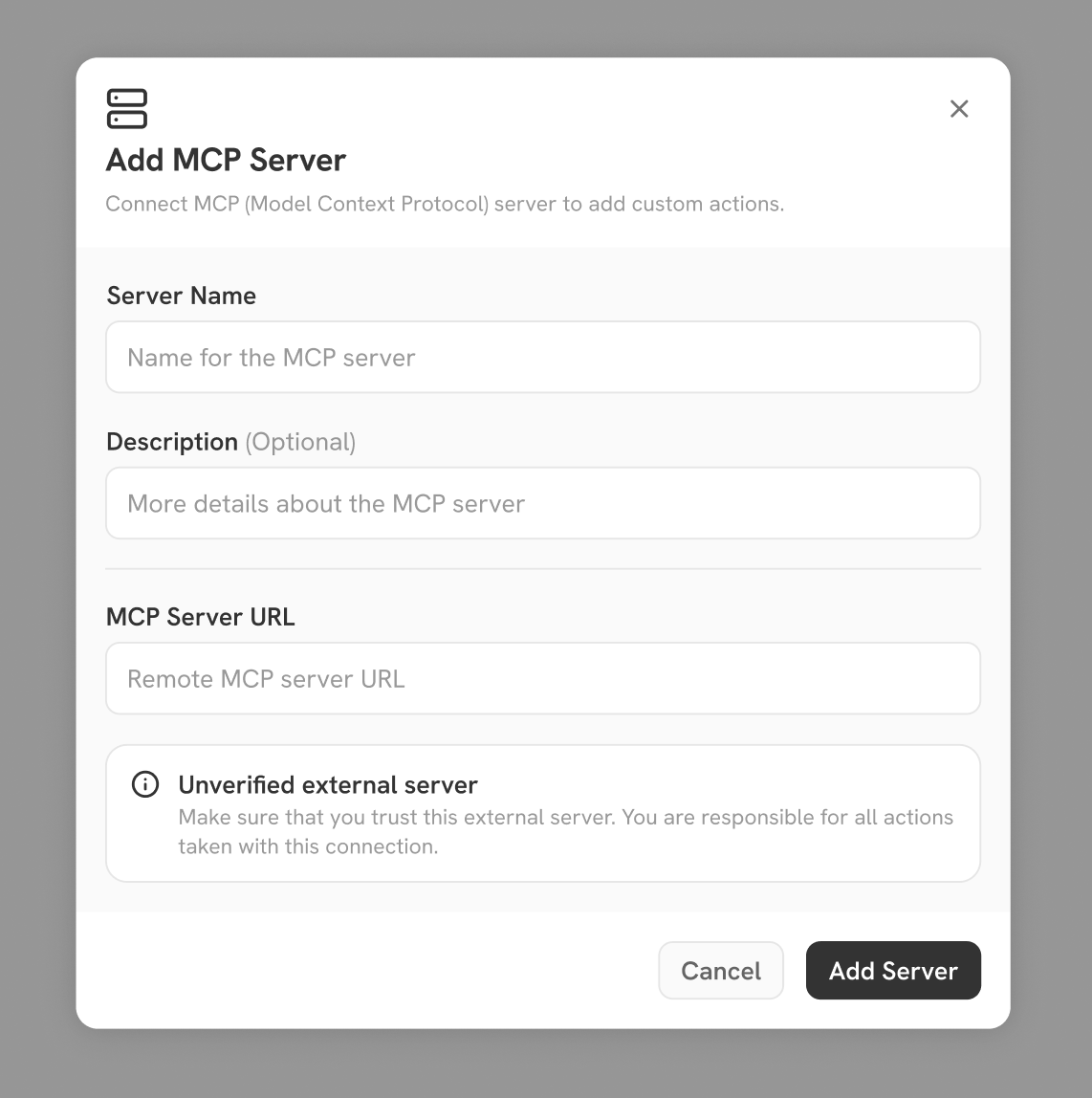 Onyx offers flexible options for configuring both custom Actions and their associated authentication.
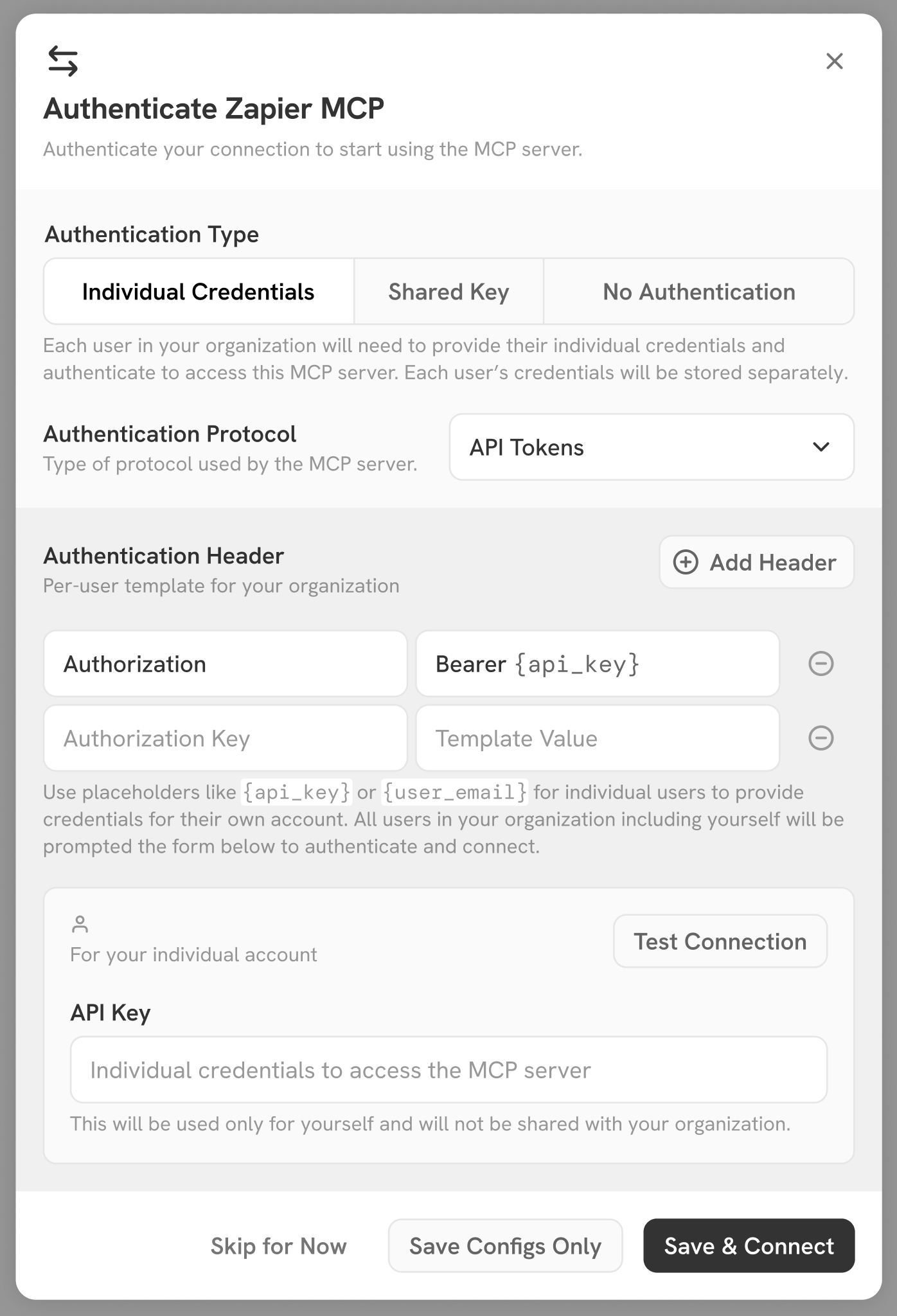
Admins can choose to:
* Use a single shared authentication, giving all users the same level of access to Actions.
* Require each user to complete their own authentication flow, so Actions respect individual user permissions.
Onyx supports both token-based authentication and OAuth.
Onyx offers flexible options for configuring both custom Actions and their associated authentication.
Admins can choose to:
* Use a single shared authentication, giving all users the same level of access to Actions.
* Require each user to complete their own authentication flow, so Actions respect individual user permissions.
Onyx supports both token-based authentication and OAuth.
 ## Actions Button
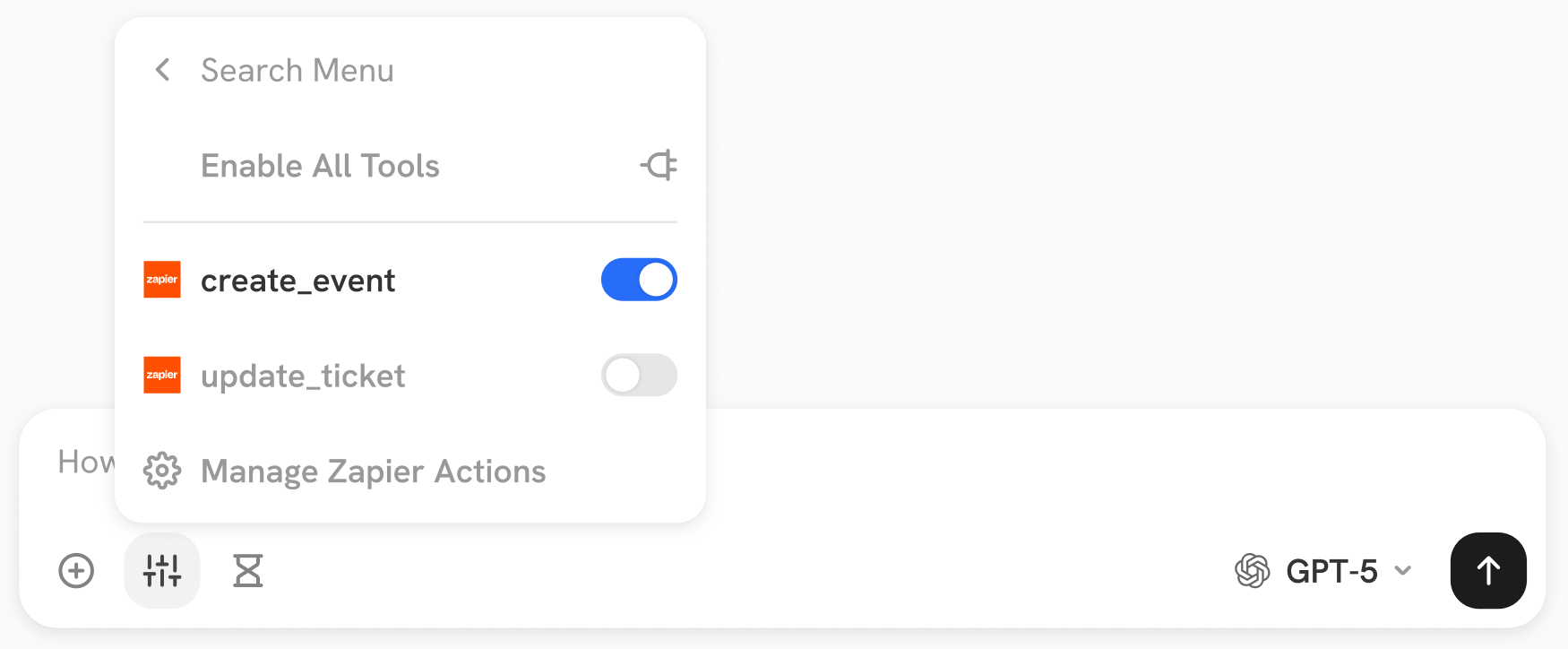 In the Chat input bar, Actions are grouped by the MCP server or OpenAPI schema they are registered with.
Users have the flexibility to turn on/off the Actions that the Agent/LLM has access to on the fly.
This documentation is built and hosted on [Mintlify](https://mintlify.com), a developer documentation platform.
In the Chat input bar, Actions are grouped by the MCP server or OpenAPI schema they are registered with.
Users have the flexibility to turn on/off the Actions that the Agent/LLM has access to on the fly.
This documentation is built and hosted on [Mintlify](https://mintlify.com), a developer documentation platform.